You can follow the instructions below to view your learners' 360 progress by the organization, pass, team, or facilitated course.
Step-by-step guide
- Log in to the Admin Platform and click the 'Reports Tab'.
- Please review this article to learn more about the Client Dashboard and to watch a walkthrough video of its features.
-
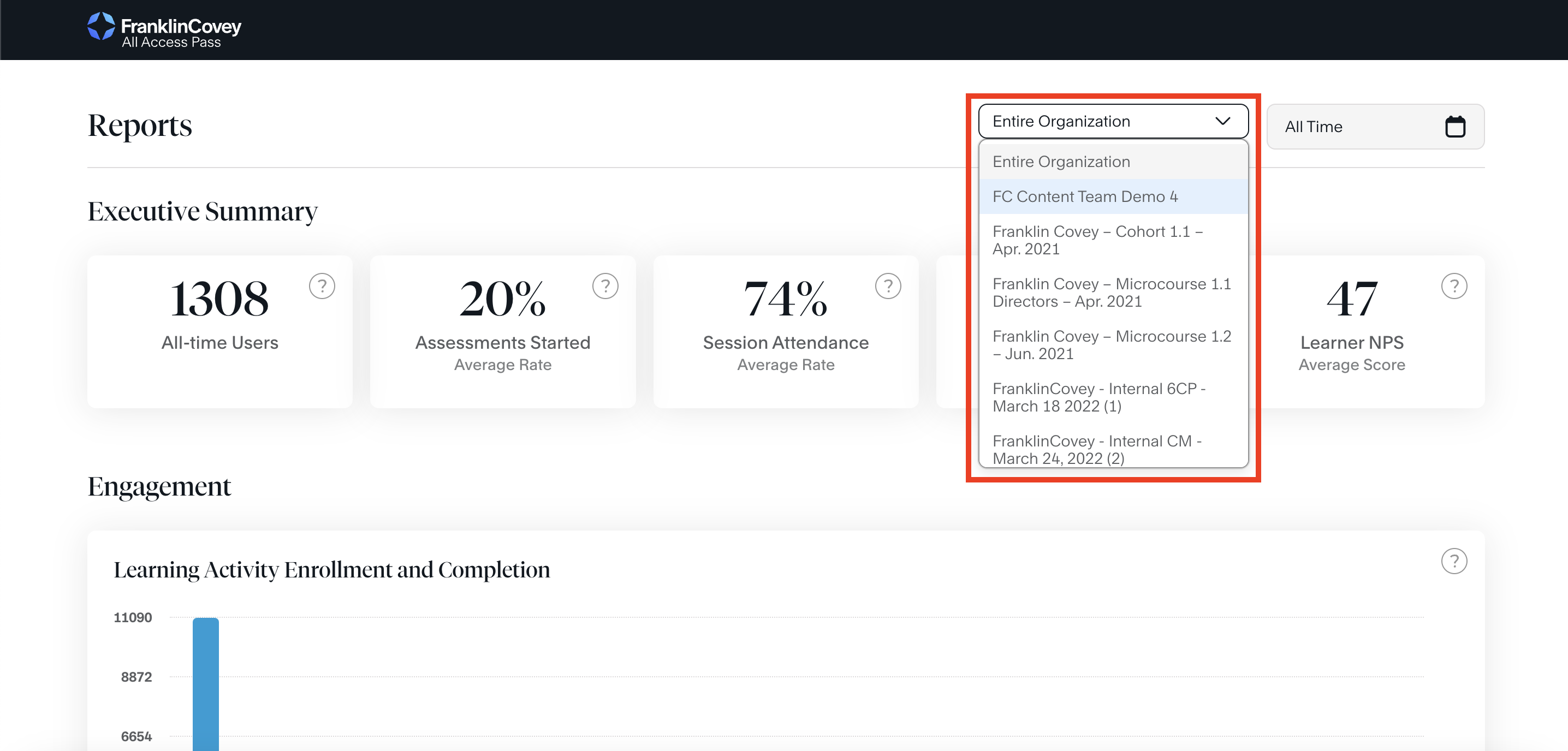
The page defaults to "Entire Organization" metrics. Please use the dropdown in the upper right-hand corner if you'd like to view a specific cohort's metrics.
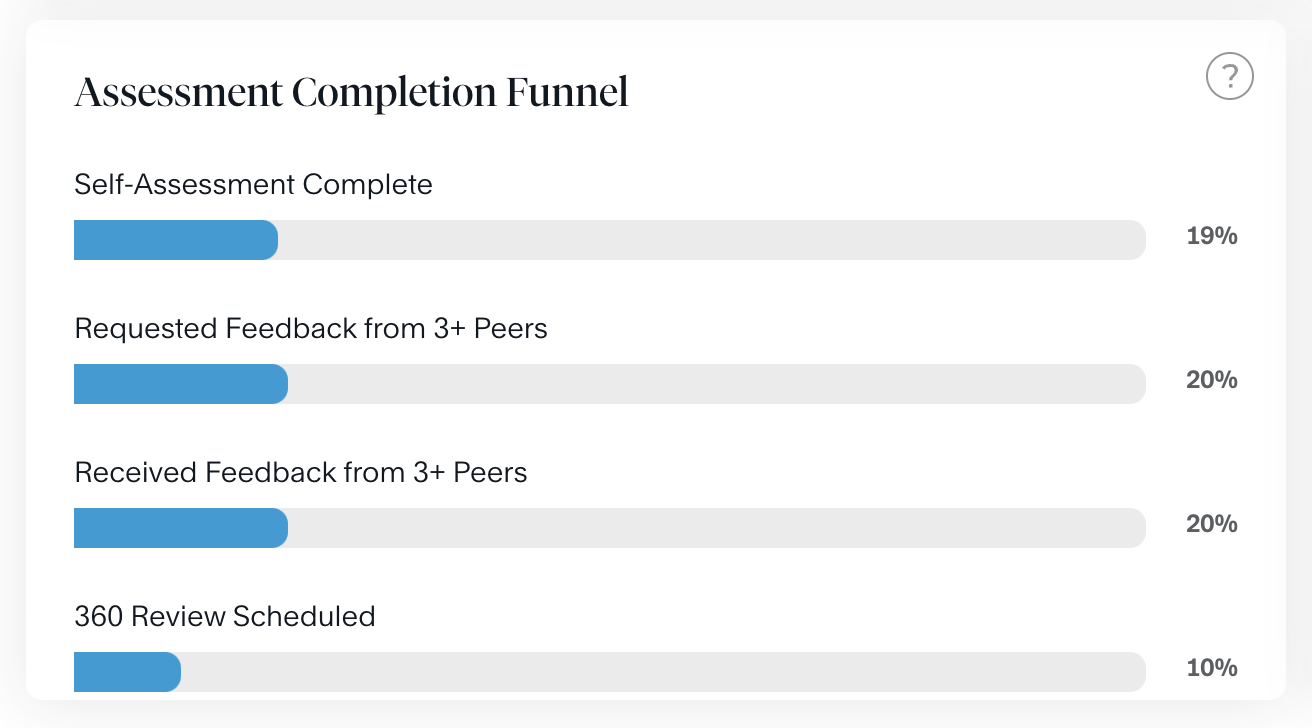
- Scroll down to the Assessment Completion Funnel chart. The funnel shows learners' progress through the four sequential steps of the FranklinCovey 360 process.

Comments
0 comments
Article is closed for comments.