You can easily navigate from the Client Dashboard, where you access the admin features, to the learner view (and back) by following these instructions.
Step-by-step guide
- Visit the Admin Platform and log in.
- Click the Profile button in the upper right-hand corner and select "Switch to Learner View."
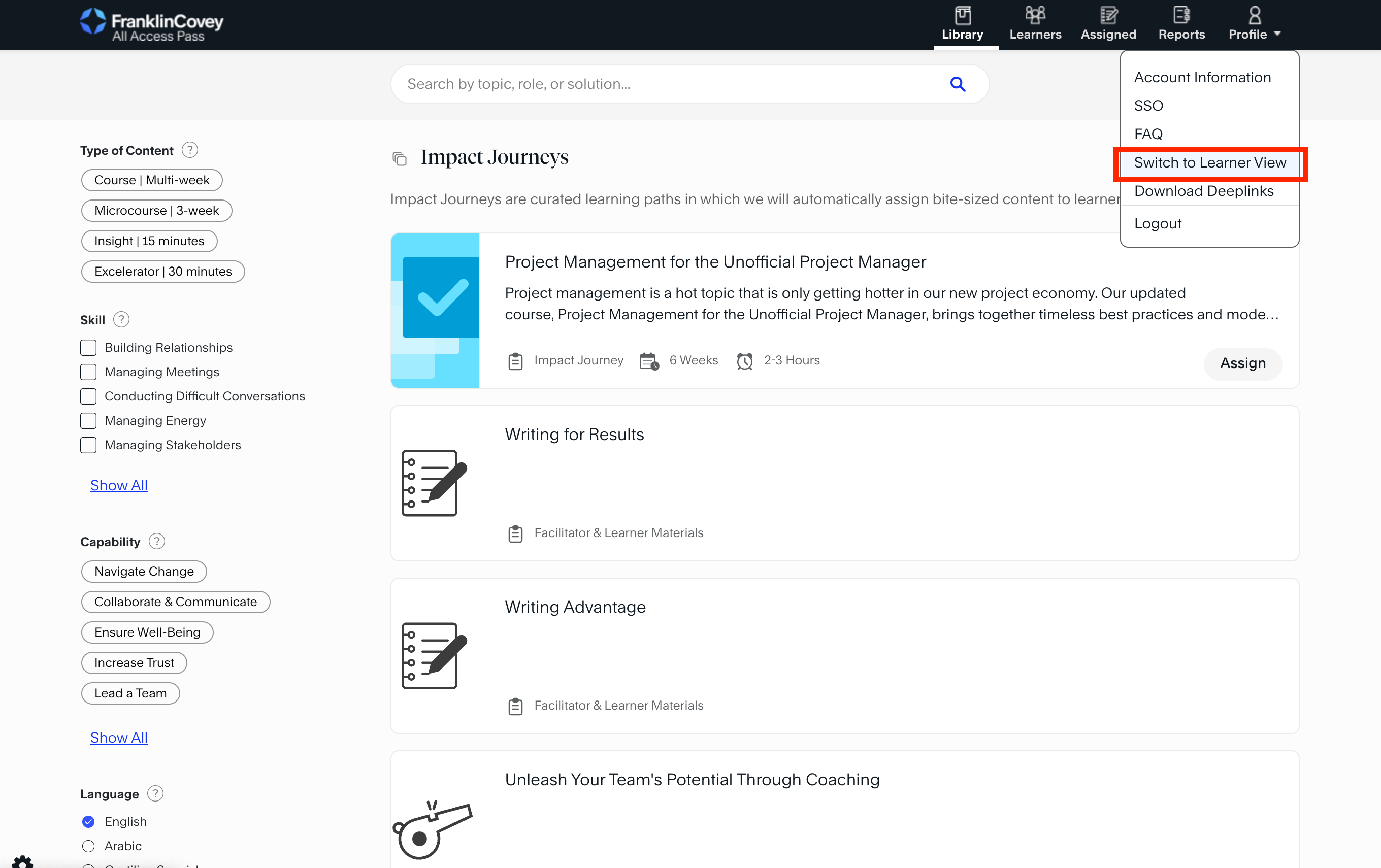
- You will then be taken to the learner view of the Impact Platform.
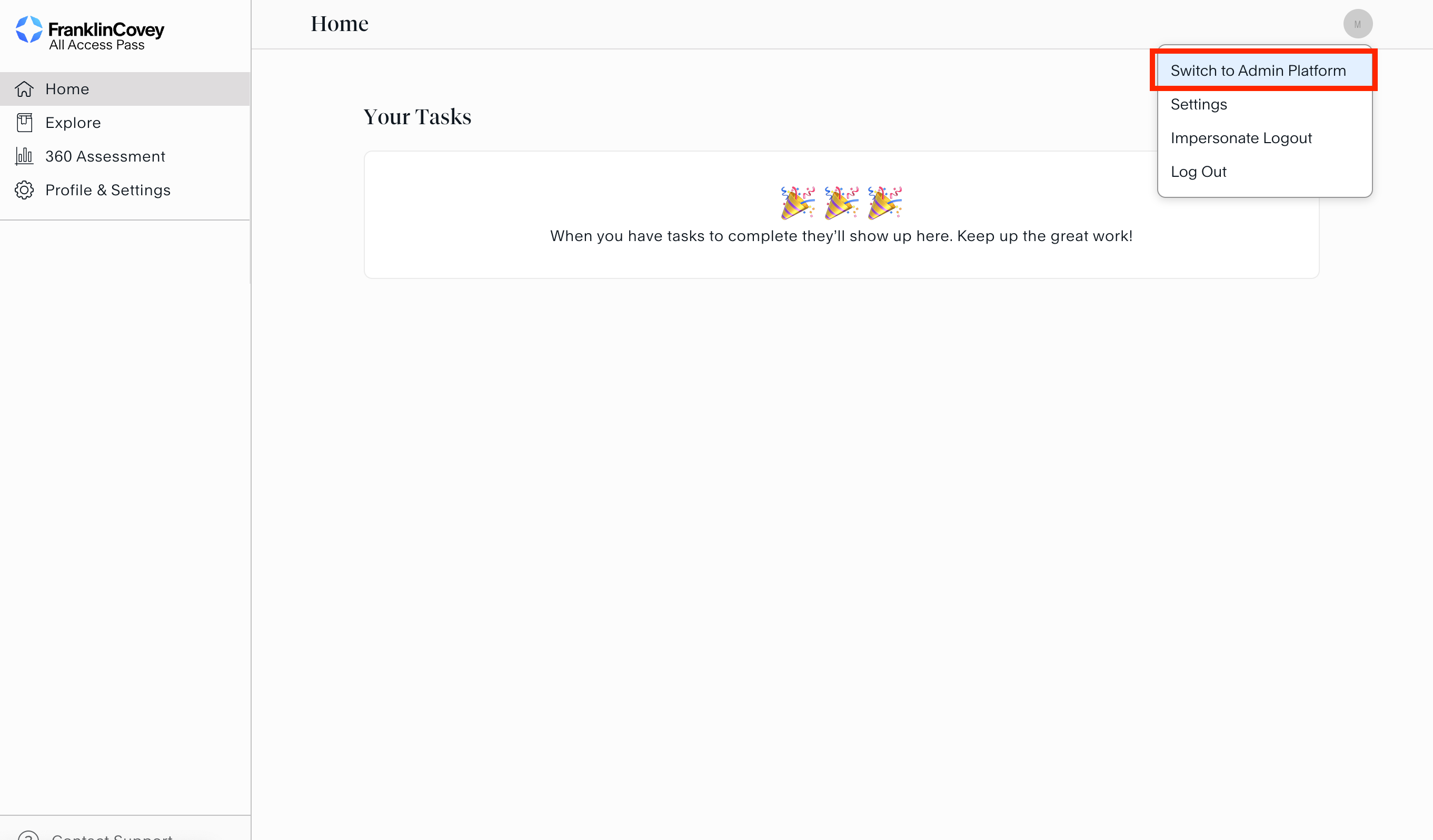
- Navigate back to the Admin Platform by clicking the profile circle in the upper right-hand corner and selecting "Switch to Admin Platform."

Comments
0 comments
Article is closed for comments.